
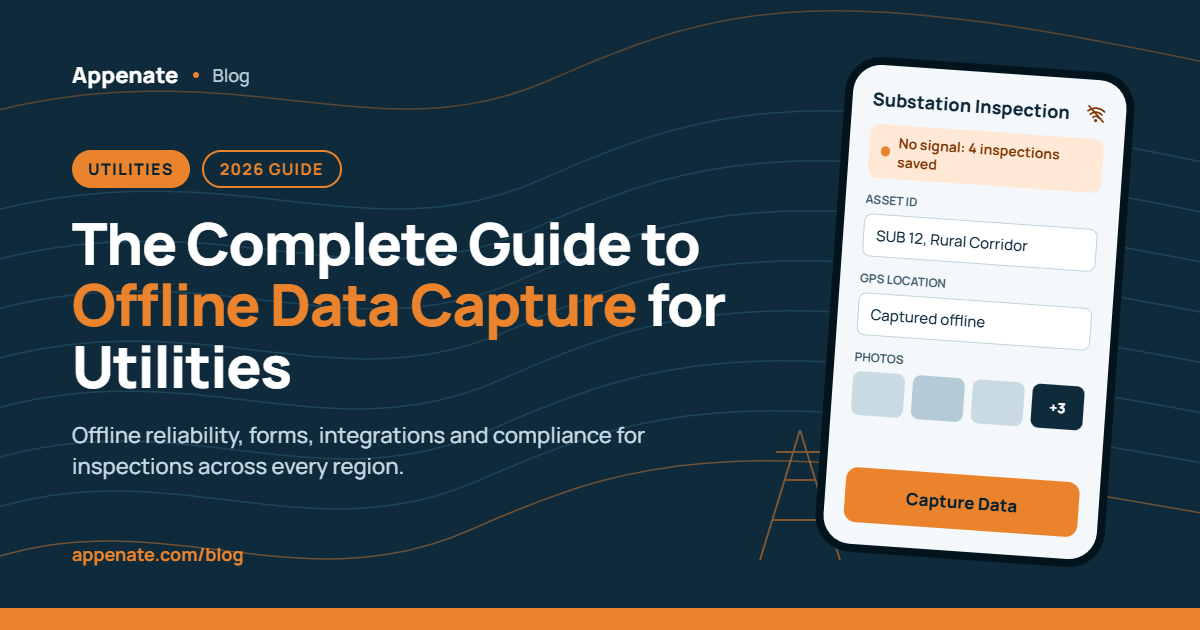
Running inspection programs across multiple regions means your field teams regularly work in areas where connectivity drops out entirely. Substations in rural corridors, pipeline routes through remote terrain, distribution poles on stretches without cell coverage. When your offline data capture software can’t function in those conditions, inspection records go missing, compliance gaps widen, and rework costs climb.
This guide covers everything field operations directors need to evaluate when choosing offline data capture for multi-region utility and construction inspections. You’ll find evaluation criteria for offline reliability, mobile form design, integrations, compliance readiness, and field usability, along with a practical framework for testing any platform before committing.
Key Takeaways: Offline Data Capture for Utility Inspections
- True offline functionality stores forms, photos, GPS data, and signatures locally and syncs automatically when connectivity returns.
- Multi-region inspection programs need consistent form templates, centralized dashboards, and role-based access across every operating area.
- Appenate provides full offline capabilities with native apps on iOS, Android, and Windows, purpose-built for field data capture.
- Integration with existing enterprise systems like Salesforce, SharePoint, and Power BI eliminates manual data transfers and silos.
- A structured pilot program in real field conditions reveals offline gaps that vendor demos and feature lists never surface.

What Is Offline Data Capture and Why Does It Matter for Utilities?
Offline data capture refers to the ability to collect, store, and manage inspection data on a mobile device without any internet connection. The device saves all entries locally, including form responses, photos, GPS coordinates, and digital signatures. Once connectivity returns, the data syncs automatically to your central system.
For utility and construction teams, this matters because inspections frequently happen in locations where cellular service is unreliable or nonexistent. Substations, underground vaults, rural distribution lines, and active construction sites all present connectivity challenges that disrupt the use of cloud-dependent tools.
Without genuine offline functionality, field teams face a frustrating choice: revert to paper forms (and accept the double-entry, transcription errors, and delays that come with them) or skip inspections until they’re back in coverage. Neither option is acceptable when regulatory deadlines and safety obligations are on the line.
How Does Offline-First Architecture Differ from Offline Caching?
Not every platform claiming “offline support” delivers the same experience. The distinction between offline-first and offline-cached architecture decides whether your inspection records survive a full day in a dead zone or quietly disappear.
An offline-first platform treats the local device as the primary data store. Every form entry, photo attachment, and GPS reading writes directly to encrypted local storage as it’s captured. The server receives a copy when connectivity returns. This architecture means there’s nothing to lose if a connection drops mid-inspection.
An offline-cached platform, by contrast, downloads a form for local viewing but often requires a live connection for richer functions like photo uploads, signature capture, or conditional logic. If the session expires or the app refreshes while you’re out of range, partially completed entries can reset or vanish.
When evaluating platforms, ask specifically: does the app write each answer to local storage the moment it’s entered, or does it hold entries in a live session? The answer separates tools built for field conditions from tools that work in conference-room demos.

What Should You Look for in Offline Mobile Forms?
The forms your inspection teams use daily need to do more than replicate a paper checklist on a screen. For multi-region programs, your mobile forms need to handle the complexity of varied asset types, regional compliance requirements, and different crew configurations, all while functioning reliably without a signal.
Conditional Logic and Dynamic Fields
Inspection workflows aren’t linear. When a technician flags a failed component, the form should automatically surface follow-up fields for corrective action details, severity ratings, and photo evidence. Conditional logic that works offline ensures your teams capture the right data in the right context, every time, without toggling between multiple apps or paper supplements.
Rich Media Capture in the Field
Text entries alone don’t provide enough evidence for compliance audits. Your forms need to support photo capture with GPS tagging and timestamps, video recording for documenting complex defects, digital signatures for sign-offs and approvals, and barcode or NFC scanning for asset identification. All of these must function with zero connectivity. Platforms that route media capture through a live connection will fail you at the exact moment you need them most.
Multi-Language Support for Regional Teams
If your inspection program spans regions with different primary languages, your forms need multi-language translation capabilities built in. Appenate supports multi-language forms and portals, allowing you to deploy a single inspection template across global teams while presenting each user’s native language on their device.
Which Evaluation Criteria Matter Most for Multi-Region Programs?
Selecting offline data capture software for a multi-region inspection program requires evaluating dimensions that single-site deployments rarely test. Here’s a framework that covers the criteria field operations directors should prioritize.
Offline Reliability Under Real Conditions
This is the non-negotiable starting point. Test every shortlisted platform in actual field conditions by starting an inspection with a signal, switching to airplane mode mid-form, completing all remaining fields with photos and signatures offline, leaving the device offline for at least an hour, then reconnecting on a weak signal and confirming every record syncs intact. If any data is missing or timestamps show sync time rather than capture time, the platform isn’t field-ready.
Centralized Form Management with Regional Flexibility
You need a single source of truth for inspection templates that can be adapted for regional requirements without duplicating the entire form. Look for a no-code form builder that lets headquarters define the standard template, allows regional administrators to add location-specific sections, and enforces mandatory fields consistently across every version. Appenate’s drag-and-drop form builder supports this model. You can create a master template, then customize regional variations without rebuilding from scratch.
Role-Based Permissions and Access Control
Multi-region programs involve inspectors, supervisors, regional managers, and compliance officers, each needing different levels of access. Your platform should let you define who can create and edit templates, who can view submissions across specific regions, and who can approve or reject corrective actions. Granular permissions prevent unauthorized changes to inspection standards while keeping data visible to the people who need it.
Cross-Region Dashboards and Reporting
The ability to compare inspection completion rates, scores, and corrective action resolution across every operating region transforms inspection data from a compliance checkbox into a management tool. Look for platforms that provide centralized dashboards where you can filter by region, asset type, date range, and inspector, along with automated report generation that distributes findings to stakeholders on a schedule.
How Do Integrations Affect Your Inspection Workflow?
Offline data capture doesn’t exist in isolation. Your inspection data needs to flow into the enterprise systems that drive maintenance scheduling, asset management, compliance reporting, and financial tracking. Without integrations, you’re creating another data silo that requires manual transfers and introduces errors.
Connecting to Enterprise Platforms
Appenate connects to a wide range of enterprise systems through built-in connectors. You can push form data directly into Salesforce, SharePoint, Power BI, Google BigQuery, Snowflake, SQL Server, NetSuite, and many others. For systems without a native connector, Appenate’s REST API and webhooks provide the flexibility to connect to virtually any web service with an exposed API.
This means inspection submissions can automatically update your asset register in Salesforce, feed completion metrics into Power BI dashboards, trigger maintenance work orders in your CMMS, and archive compliance records to SharePoint or cloud storage. The data moves without anyone re-keying entries or exporting CSVs.
Why Open Architecture Matters
Multi-region operations typically run a patchwork of systems across different territories, sometimes different ERPs, different CRMs, or different compliance databases. A platform with open architecture accommodates this reality by letting you configure different integration paths for different regions without changing the core inspection workflow. Your teams capture data the same way everywhere. The integrations handle where that data goes.
What Compliance and Security Requirements Apply?
Utility inspection data often includes asset condition records, safety observations, GPS-tagged locations of critical infrastructure, and personnel information. Protecting this data requires specific compliance certifications and security practices.
Regulatory Standards for Inspection Data
Depending on your industry and geography, you may need to comply with GDPR for data collected from or about EU citizens, HIPAA for any health-related personnel or environmental data, SOC 1 and SOC 2 for controls over financial and operational reporting, and industry-specific standards like PHMSA for pipeline safety or NERC for electric reliability. Appenate complies with GDPR and HIPAA, and supports SOC 1 and SOC 2 standards. The platform is hosted on Microsoft Azure with data centers in the US, EU, and Australia, keeping data in line with local legislative storage requirements.
Data Encryption and Device Security
For inspection records sitting on a device between capture and sync, encryption at rest is essential. Verify that your platform encrypts data locally on the device (not just during transmission), supports app-level access controls such as PIN or biometric authentication, and offers remote wipe capabilities if a device is lost or stolen. These protections matter most during the hours or days that completed inspections wait on a phone before reaching a connection.
How Do You Evaluate Field Usability for Inspection Teams?
A platform can check every feature box and still fail in the field if your inspection teams won’t use it. Usability determines adoption, and adoption determines whether your digitalization investment delivers returns.
Native App Performance on Rugged Devices
Inspectors in utility and construction environments often use rugged devices that handle dust, moisture, drops, and temperature extremes. Your offline data capture platform needs to run as a native app on iOS, Android, and Windows, not a mobile web page wrapped in an app shell. Native apps access device hardware more reliably, handle offline storage more efficiently, and perform better under the resource constraints of field-grade devices.
Speed of Form Completion
Time spent on data entry is time taken away from actual inspection work. Look for features that reduce manual typing: dropdown lists, auto-populated fields that pull from your asset database, barcode and NFC scanning, and AI-powered capabilities like voice fill (speak responses instead of typing) and photo fill (snap a paper document and let AI extract the data into form fields).
Appenate’s AI Voice Fill lets inspectors speak naturally while wearing gloves or climbing, with background noise filtering that accurately fills text fields, dates, and dropdowns. AI Photo Fill captures paper documents and maps extracted data directly into digital fields, eliminating double-entry on sites that still have some legacy paper processes.
Onboarding and Ongoing Support
Multi-region rollouts introduce training challenges. Your platform provider should offer free one-on-one training so you’re not paying per-session fees as you onboard region after region. Appenate provides free training and lifetime support with every subscription, which means you can scale across new territories without budgeting for additional training costs.
How Should You Structure a Pilot Program?
Before committing to a full multi-region deployment, run a structured pilot that tests the platform under real operating conditions. A well-designed pilot reveals issues that feature comparisons and vendor demos never surface.
Step 1: Select One Region and One Inspection Type
Choose a single operating region with known connectivity challenges and pick your most critical or most frequent inspection workflow. Keep the pilot focused. Trying to test everything at once dilutes the results and overwhelms the pilot team.
Step 2: Build and Deploy the Form
Recreate your selected inspection template on the platform. Include all required field types: text, dropdowns, photos, GPS, signatures, and conditional logic. Deploy it to a small team (five to ten inspectors) and let them use it through at least one full inspection cycle.
Step 3: Test Offline Under Stress
Have inspectors deliberately complete inspections in areas with no connectivity. Load up forms with 15 to 20 photos per inspection to test how the app handles large photo batches. Leave devices offline for extended periods. Reconnect on weak signals. Verify that every record arrives intact with capture-time timestamps.
Step 4: Validate Integration and Reporting
Confirm that synced data flows correctly into your connected systems. Check dashboards for accuracy, verify automated reports, and test role-based access to make sure the right people see the right data.
Step 5: Gather Field Team Feedback
Ask the inspectors directly: Did the app slow them down or speed them up? Did offline mode work without surprises? Were forms easy to complete on their devices? Their answers matter more than any spec sheet. If the people using the tool daily say it adds friction, adoption across additional regions will stall.
What Are Common Mistakes When Choosing Offline Data Capture Software?
Field operations directors evaluating offline data capture platforms for multi-region programs frequently encounter the same pitfalls. Knowing them in advance saves you from costly mid-deployment corrections.
Choosing Based on Feature Lists Alone
Every vendor’s feature page looks impressive. The difference shows up in the field. A platform might list “offline support” but only cache basic text fields while requiring connectivity for photos and signatures. Always run your own offline test before signing a contract.
Ignoring Sync Reliability
Capture is only half the equation. Records that fail silently during sync, create duplicates on retry, or lose photo attachments on weak connections undermine trust in the entire system. Ask vendors specifically how their sync handles interrupted uploads, conflict resolution, and partial photo batches.
Overlooking Total Cost of Ownership
Some platforms offer low per-user pricing but charge extra for implementation, training, integrations, or storage. Others require minimum user counts that inflate the entry cost for smaller regional teams. Evaluate the full cost across your expected deployment, including onboarding, support, and any per-submission or per-form fees.
Underestimating Change Management
Switching from paper or legacy systems to digital offline mobile forms requires buy-in from the people who use the tools daily. Start with willing early adopters, let their success stories build momentum, and invest in training that addresses the specific concerns of field workers who may be skeptical about new technology.

How Does Appenate Support Multi-Region Inspection Programs?
Appenate is built for the conditions that multi-region utility and construction inspection programs create. The platform’s offline functionality is standard across the entire system, not a limited add-on or a partial cache mode. Your teams can create new inspections, capture rich media, collect signatures, and tag GPS coordinates without any internet connection. Everything syncs when connectivity returns.
Beyond offline capabilities, Appenate provides a no-code drag-and-drop form builder for rapid template creation, native apps on iOS, Android, and Windows for reliable field performance, built-in connectors to Salesforce, SharePoint, Power BI, SQL Server, BigQuery, Snowflake, and more, workflow automation with task management and push notifications, HIPAA, GDPR, and SOC compliance with data hosted on Microsoft Azure, and a 360-degree white label option for organizations that need branded apps for different operating divisions.
“Appenate’s remote-first design and its ability to quickly re-sync when access is restored has improved our data collection immensely.” — Mark Chimes (McClelland Concrete Pumping)
For teams managing inspection programs across multiple regions, Appenate’s combination of full offline capabilities, extensive integrations, and pay-per-user licensing with no minimums makes it a flexible choice. You can start with a single region and scale without negotiating new contracts or hitting user-count thresholds.
In Conclusion: How to Choose the Right Offline Data Capture Software for Your Program
Selecting offline data capture software for multi-region inspections comes down to five priorities: genuine offline reliability that survives real field conditions, flexible forms that adapt to regional requirements without losing standardization, integrations that eliminate manual data transfers between systems, compliance and security credentials that match your regulatory obligations, and field usability that drives consistent adoption across your inspection teams.
Run a structured pilot before committing. Test offline functionality under stress. Gather feedback from the people who’ll use the tool every day. The right platform bends to your inspection workflow rather than forcing your teams to work around its limitations.
According to a case study published by Esri, electric cooperatives that moved from manual inspection processes to digital mobile workflows saw measurable improvements in data accuracy, real-time visibility, and reduction in repeat site visits.
FAQs About Offline Data Capture for Utility Inspections
What is offline data capture software?
Offline data capture software lets field teams collect inspection data on mobile devices without an internet connection. The device stores form entries, photos, GPS coordinates, and signatures locally. Appenate syncs all captured data automatically when connectivity returns, with no manual upload required.
Does GPS work during offline inspections?
Yes. GPS coordinates come from device satellites, not cellular networks. Your inspection app captures accurate location data even in areas with zero cell coverage. Appenate embeds GPS tags and timestamps on every submission, creating audit-ready location records that hold up during compliance reviews.
How long can an inspection app stay offline before syncing?
There’s typically no time limit. Completed inspections stay in the device queue until a connection appears. The practical constraint is device storage, especially when inspections include many photos. Set a team policy for daily sync windows to keep supervisors informed of inspection completion status.
Can offline inspection records satisfy compliance audits?
Yes, provided the platform preserves original capture-time timestamps and maintains an audit trail that can’t be altered after submission. Appenate records when the inspection actually happened rather than when the device reconnected, meeting the contemporaneous record requirement under frameworks like ALCOA+ and GDPR Annex 11.
What integrations does Appenate support for utility workflows?
Appenate connects to Salesforce, SharePoint, Power BI, Google BigQuery, Snowflake, SQL Server, NetSuite, Xero, and many more through native connectors. For systems without a built-in connector, Appenate’s REST API provides flexible custom integration with any web service that exposes an API.
How quickly can you deploy Appenate across multiple regions?
Most teams go live with their first inspection workflow within one to three days. Appenate includes free one-on-one training and lifetime support, so you can onboard additional regions without paying extra for training sessions or implementation services. Enterprise solutions are available for organizations that need advanced configurations.
